
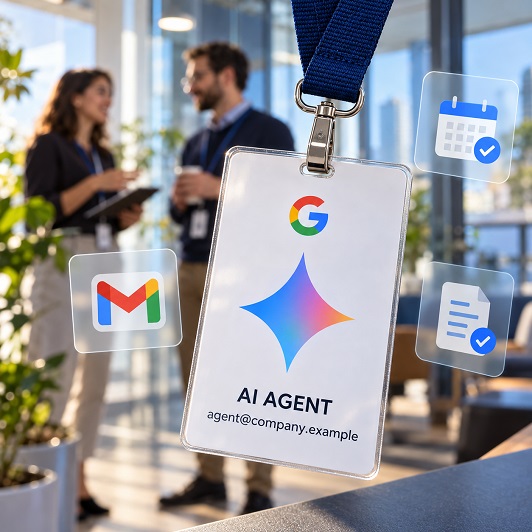
Google Gives AI Agents Their Own Work Email
Google has announced a workplace AI agent that can have its own email address, calendar and company account, allowing businesses to delegate ongoing tasks while making it clearer which actions were taken by software rather than employees.
Gemini Agent
Unveiled on 8 October by Google Cloud chief executive Thomas Kurian, the Gemini agent is designed to answer questions, prepare documents, analyse information and write code through one service.
An AI agent goes beyond generating a response by using connected tools to carry out tasks. Google says Gemini can now actually plan work, select the tools it needs and continue running in the cloud for hours or days after someone closes their laptop.
In essence, it can act as a personal assistant or become a coworker agent with an ongoing team role, such as coordinating projects or supporting financial analysis. Google describes these as agents with a “persistent, defined role and operational presence across days, sessions, and multiple changing responsibilities”.
Why Give An Agent Its Own Email Address?
A coworker agent receives a Workspace account with an email address, calendar, Drive storage and a place in the company directory. This allows colleagues to involve it through a Chat space or by mentioning it in a document.
In its announcement about this new feature, Google gives the example of a marketing manager asking an events coordinator agent to draft a launch readiness document. The agent returns the work to the group and can suggest changes in documents under its own name.
That separate identity also helps distinguish automated work from human decisions. As Google explains, “A coworker agent acts under its own identity rather than yours, and it sees only what you share with it.”
For a business reviewing an unexpected edit or message, knowing that an agent performed the action could make investigation easier. However, its own account does not make the software responsible for the consequences in the way an employee or organisation can be.
How Would It Fit Into Everyday Work?
Google says Gemini works directly within Gmail, Drive, Docs, Sheets, Slides, Chat and Calendar. It also describes access through Microsoft 365 and Slack, with connections to business systems including Salesforce, ServiceNow and Jira.
The intended benefit is less manual coordination between applications. For example, an agent could research market trends, build a financial model in Sheets and prepare slides explaining the findings without needing the project explained again at each stage.
Gemini retains context across sessions and can delegate parts of a task to temporary specialist agents. Google also separates the agent from the AI model powering it, allowing work to be routed between Gemini models and Anthropic’s Claude according to the task.
These capabilities are being introduced through Gemini Enterprise. However, the announcement doesn’t provide a general availability date or complete pricing for every feature, so businesses will need to confirm their access before planning a deployment.
What About Controls?
In terms of what controls these agents have, Google says each one has a verified identity and receives permissions approved by security administrators. Those permissions define which systems and information it can access, with actions recorded in an audit trail attributed to the agent.
Also, code runs inside an Agent Sandbox, i.e., an isolated computing environment intended to limit its interaction with other systems. Network traffic passes through Agent Gateway, which Google describes as an AI firewall enforcing company policies.
Together, all these controls are intended to restrict what agents can reach and make their activity visible. Their effectiveness will still depend on appropriate permissions, clear policies and someone reviewing unexpected behaviour.
For example, permission to read project documents need not include permission to email their contents outside the organisation. Businesses also need a tested way to stop work and remove access when a task ends or something goes wrong.
How Will Spending Be Managed?
An agent working for days can consume resources without an employee actively watching it. Google therefore describes project-level spending caps covering model usage and the computing environments used to run tasks.
For example, when a cap is reached, Google says the agent pauses, with an option to resume work through the billing console. Routing simpler tasks to less expensive models is another part of Google’s proposed cost controls.
These measures could help contain bills, but a spending limit doesn’t establish value. Businesses still need to compare completed work with the time and money spent supervising, correcting and running the agent.
What Does This Mean For Your Business?
For businesses considering this approach, a useful first trial may involve a repeatable task with clear boundaries, such as preparing an internal project update. Staff should assess accuracy, time saved and how often intervention is needed before allowing the agent to contact customers or make commitments.
Every agent should also have a named human owner responsible for its permissions, output and continued use. The ICO’s current examination of agentic AI reinforces the importance of maintaining accountability when software acts autonomously, particularly where personal information is involved.
Giving AI its own workplace identity could make delegated work easier to organise and trace. However, the benefit will actually depend on whether businesses can keep that work useful, proportionate and under control, with clear approval requirements and reliable ways to intervene throughout each task.